The Vercel & npm Breach Chronicles: Why Your OAuth Permissions Are the New Zero-Day
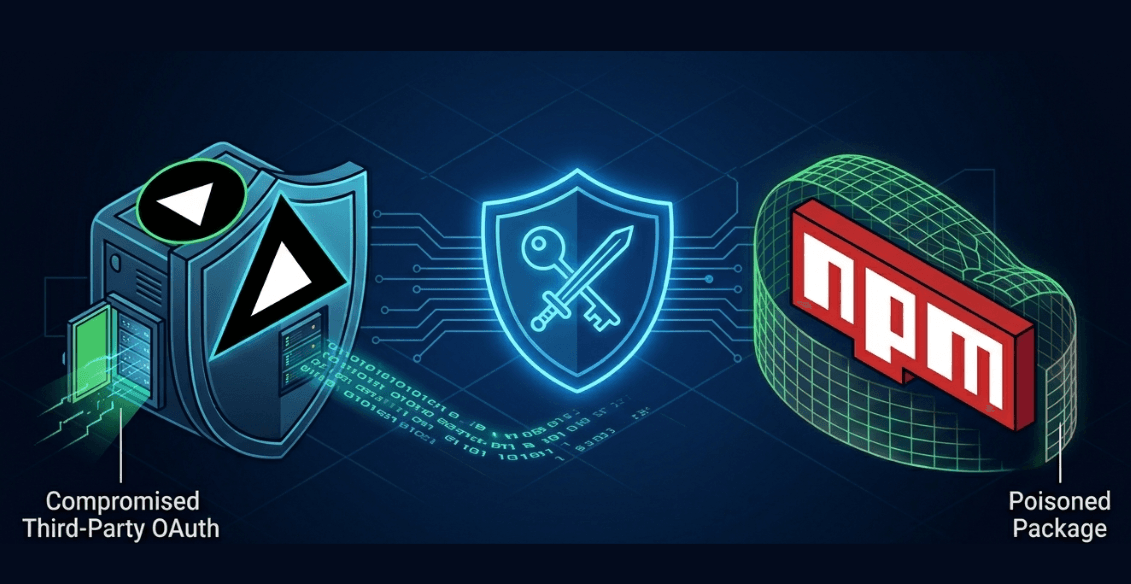
In the last 30 days, the developer community has been hit by two massive security tremors. First, a state-sponsored hijack of the Axios npm package, and now, a sophisticated "side-door" entry into Vercel's internal systems.
As a developer managing production apps, these incidents aren't just headlines—they are a call to re-architect how we handle third-party permissions and environment variables.
1. The Vercel Incident (April 2026): The OAuth Skeleton Key
What Happened?
On April 19, 2026, Vercel confirmed a security incident involving unauthorized access to internal systems. Vercel itself wasn't "hacked" through a traditional infrastructure exploit. Instead, it was a Supply Chain Attack on a Third-Party AI Productivity Tool.
The Technical Path
- The Entry Point: A Vercel employee authorized a third-party AI tool called Context.ai using their corporate Google Workspace account via OAuth.
- The Upstream Breach: Attackers compromised Context.ai first. By doing so, they inherited the valid OAuth tokens for all of Context.ai’s users—including the Vercel employee.
- The Pivot: The attackers used the hijacked session to impersonate the employee and gain access to Vercel's internal environments.
- Data Exfiltration: A threat actor (claiming to be ShinyHunters) posted on BreachForums, offering a database for $2 million. They claimed to have source code, employee records, and critically, GitHub and npm tokens.
The "Sensitive" Save
Crucially, Vercel confirmed that variables marked as "Sensitive" (stored in an unreadable format using a dedicated encryption layer) were not exfiltrated. Only plaintext environment variables were enumerable.
2. The npm/Axios Nightmare (March 2026): Poisoning the Well
While the Vercel breach targeted the platform, the Axios hack targeted the assembly line itself.
The Attack Vector
Between March 31 and April 1, 2026, a threat actor hijacked the npm account of the primary Axios maintainer (jasonsaayman). They published two poisoned versions: 1.14.1 and 0.30.4.
The Payload: SILKBELL & WAVESHAPER
The poisoned versions introduced a hidden dependency called plain-crypto-js.
- The Mechanism: Using a
postinstallhook, it executed a cross-platform Remote Access Trojan (RAT). - The Complexity: The malware was polymorphic, deploying PowerShell for Windows, C++ for macOS, and Python for Linux.
- Who was behind it? Google Mandiant and Elastic Security Labs attributed this with high confidence to UNC1069 (also known as NICKEL GLADSTONE or BlueNoroff), a North Korea-nexus group focused on long-term persistence and credential harvesting.
3. Technical Prevention: How to Lock Down Your Stack
A. OAuth Governance & Identity
- Audit Your Tokens: Go to your Google Account Permissions and GitHub Authorized Apps. Revoke access for any tool you haven't used in 30 days.
- Least Privilege: Never grant "Organization-wide" or "Read/Write" access to experimental AI tools. If a tool asks for your Google Workspace "Manage your data" scope, treat it as a potential back door.
B. Vercel Security Configuration
- Enforce Sensitive Variables: In your Vercel Project Settings > Environment Variables, ensure every API key and secret is tagged as "Sensitive".
- Environment Scoping: Limit production database strings solely to the
Productiontarget. Do not allow them to be pulled intoPrevieworDevelopmentbranches by default.
C. Dependency Hardening
- Version Pinning: Stop using
^or~. Use exact versions:"axios": "1.14.0". - Lockfile Integrity: Always commit
package-lock.jsonorpnpm-lock.yaml. Check for the presence of unexpected transitive dependencies likeplain-crypto-js. - Isolated CI/CD: Run your builds in ephemeral, network-restricted containers to prevent "phoning home" during a malicious postinstall script.
4. Post-Incident Checklist: What to do NOW
- Rotate Secrets: If you had plaintext variables in Vercel, change your
DATABASE_URL,STRIPE_SECRET, andNEXTAUTH_SECRETimmediately. - Clear Caches: Run
npm cache clean --forceon your local machine and build servers to ensure no poisoned artifacts remain. - Audit Workspace: Check your organization's OAuth log for any logins from Context.ai or unrecognized third-party apps.
| Aspect | Vercel Breach (2026) | Axios/npm Hack (2026) |
|---|---|---|
| Attack Type | Third-party OAuth Token Theft | npm Account Takeover |
| Primary Target | Internal Platform / Env Vars | Developer Workstations / CI/CD |
| Threat Actor | ShinyHunters (Claimed) | NICKEL GLADSTONE (North Korea) |
| Exposure Window | Multi-day persistence | ~3 Hours (Exposure) |
Security is no longer a "set and forget" configuration. It is an active habit of managing where you grant access and how you verify the code you import.
Found this technical breakdown helpful? Join the discussion and follow me on Linkedin @dhruvinhp X @dhruvinhp.
More posts